Designing Functional Home Offices: A Guide for Residential Properties
Transform any room into a productive workspace that enhances both work performance and home value.

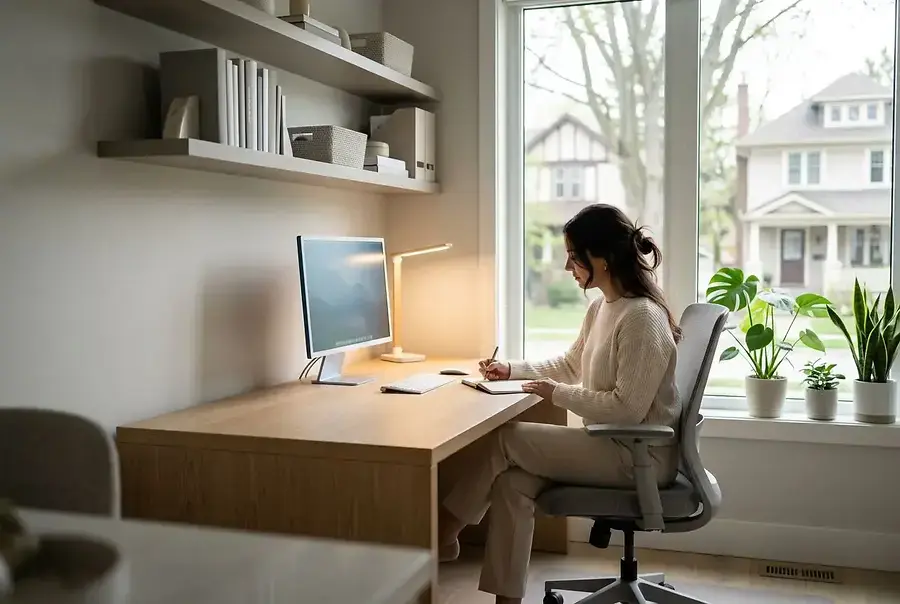
Introduction: The Growing Demand for Home Office Solutions
The modern workforce has fundamentally shifted. Remote work is no longer a rare perk—it's become a standard expectation for many professionals. Whether you're a full-time remote worker, freelancer, or someone who needs a dedicated space for occasional work-from-home days, having a functional home office is essential. Beyond productivity, a well-designed home office can significantly increase your property's value and appeal to future buyers.
Creating an effective workspace at home requires more than just placing a desk in a spare room. It demands thoughtful planning, strategic design choices, and the right technology integration. This guide will walk you through the process of transforming any room into a professional, productive environment that supports your work goals while enhancing your living space.
Choosing the Right Room and Layout for Maximum Productivity
Selecting Your Ideal Space
The first step in designing your home office is choosing the right location. Consider these factors when evaluating potential rooms:
- Natural Light: Rooms with windows provide natural light, which boosts mood, reduces eye strain, and improves focus. Position your desk to take advantage of natural light without creating screen glare.
- Noise Levels: Select a quiet area away from high-traffic zones, kitchens, or entertainment spaces. Minimizing distractions is crucial for maintaining concentration.
- Space and Flexibility: Choose a room large enough to accommodate your desk, storage, and movement without feeling cramped. Extra space allows for future expansion or equipment additions.
- Climate Control: Ensure the room has adequate heating, cooling, and ventilation. A comfortable temperature is essential for sustained productivity.
- Privacy: A door that closes is invaluable for video calls and maintaining professional boundaries between work and home life.
Optimizing Your Layout
Once you've selected your room, focus on layout optimization. The desk should be positioned to face the door or a focal point, creating a sense of control and reducing the startle effect when someone enters. This arrangement also helps you maintain awareness of your surroundings.
Consider the work triangle—the relationship between your desk, storage, and reference materials. Keep frequently used items within arm's reach to minimize unnecessary movement and maintain workflow efficiency. Position your monitor at eye level, approximately 20-26 inches from your eyes, to prevent neck and back strain.
Don't overlook vertical space. Wall-mounted shelves, floating desks, and tall storage units maximize functionality without consuming valuable floor space. This approach is particularly effective in smaller rooms where square footage is limited.
Essential Features and Technology Integration for Professional Work Environments
Furniture and Ergonomics
Investing in quality furniture is non-negotiable. An ergonomic chair is your most important purchase—you'll spend hours in it, and poor seating can lead to chronic pain and reduced productivity. Look for chairs with adjustable height, lumbar support, and armrests.
Your desk should provide ample surface area for your computer, documents, and other work materials. Standing desks or adjustable-height options are increasingly popular, allowing you to alternate between sitting and standing throughout the day. This variation improves circulation and reduces fatigue.
Lighting Solutions
Proper lighting is critical for both productivity and eye health. Layer your lighting with:
- Natural light from windows as your primary source
- Task lighting (desk lamps) for focused work areas
- Ambient lighting to reduce harsh shadows and eye strain
- Adjustable options to accommodate different times of day and seasons
Avoid placing lights directly behind your monitor, as this creates glare and reduces screen visibility. Instead, position lighting to the sides or above your work surface.
Technology Integration
Modern home offices require reliable technology infrastructure. High-speed internet is non-negotiable—consider upgrading your connection if your current speed is inadequate for video conferencing and file uploads.
Essential technology includes:
- Quality Monitor: A larger, high-resolution display reduces eye strain and improves multitasking capabilities.
- Webcam and Microphone: Invest in professional-grade equipment for clear video calls and presentations.
- Keyboard and Mouse: Ergonomic peripherals reduce repetitive strain injuries.
- Noise-Canceling Headphones: These minimize distractions and improve audio quality during calls.
- Storage Solutions: External hard drives, cloud storage, and filing systems keep your workspace organized and data secure.
Acoustic and Environmental Considerations
Sound management is often overlooked but crucial for professional communication. Soft furnishings like curtains, rugs, and upholstered furniture absorb sound, reducing echo and background noise. Acoustic panels can be strategically placed to further improve sound quality during video calls.
Temperature and air quality also impact productivity. Maintain a comfortable temperature between 68-72°F, and ensure adequate ventilation to prevent stuffiness. A small air purifier can improve air quality, particularly if your home office is in a basement or interior room.
Aesthetic and Psychological Elements
Your workspace's appearance affects your mindset and motivation.
A well-designed office that reflects your personality and professional standards creates an environment where you're more likely to feel focused and inspired.
Consider adding:
- Plants for improved air quality and visual appeal
- Artwork or motivational quotes that inspire you
- A color scheme that promotes focus (blues and greens are particularly effective)
- Minimal clutter through smart storage solutions
Conclusion: Investing in Your Home's Future Functionality
Designing a functional home office is an investment in both your professional success and your property's value. By carefully selecting your space, optimizing your layout, and integrating essential features and technology, you create an environment that supports productivity, professionalism, and well-being.
The home office is no longer a temporary trend—it's a permanent fixture in modern residential design. Whether you're working remotely full-time or occasionally, taking the time to create a dedicated, well-designed workspace pays dividends in productivity, comfort, and home value. Start with the fundamentals, invest in quality where it matters most, and continuously refine your space as your needs evolve.
Your home office should work as hard as you do. With thoughtful planning and strategic design choices, you can transform any room into a professional workspace that enhances both your work performance and your quality of life.